








Love Octordle?
Get the 8-Grid Challenge extension!
Add to ChromeWordie is a five-letter word puzzle that gives Wordle fans a familiar challenge with its own simple presentation. Your goal is to uncover the hidden word by testing five-letter guesses and reading the color feedback after each attempt.
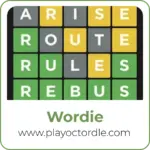
Green confirms a letter in the correct position, orange reveals a correct letter placed in the wrong spot, and grey eliminates a letter that is not part of the answer.
Built in Unity by Ayther, this browser-based recreation keeps the focus on deduction rather than complicated features. Play Wordie online for free, study every clue, and see how efficiently you can reveal the mystery word.
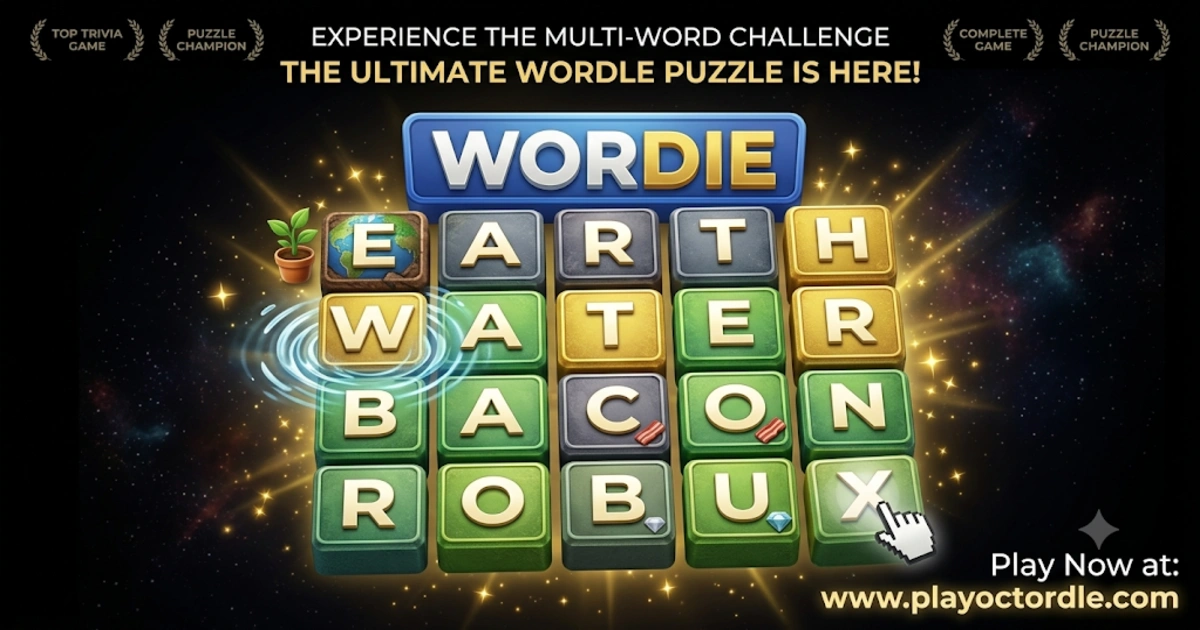
Wordie is an independent word-guessing game inspired by the familiar formula of Wordle. Instead of copying the original game's assets or source code, its creator rebuilt the concept in Unity as a personal game-development project.
The idea is deliberately straightforward: guess five-letter words and use the colored tiles to understand how close each attempt is to the hidden answer. There are no complicated rules to learn, so you can start experimenting with words almost immediately.
What makes the puzzle interesting is the information hidden inside every guess. Even an incorrect word can move you closer to the solution by confirming useful letters, revealing misplaced ones, or ruling out characters completely.
| Feature | Details |
|---|---|
| Developer | Ayther |
| Published | August 10, 2024 |
| Last Updated | September 9, 2024 |
| Genre | Word / Puzzle |
| Technology | Unity |
| Platform | HTML5 Browser |
| Word Length | 5 Letters |
| Status | In Development |
Each round revolves around discovering a hidden five-letter word. Enter a guess, submit it, and then inspect the colors that appear across the row. Those colors are your main source of information, so a strong player uses every result to make the next attempt more precise.
For example, a green tile should usually remain in the same position on your next attempt. An orange tile tells you to keep testing that letter elsewhere, while grey letters can generally be removed from consideration. Combining these clues gradually turns a difficult opening board into a much smaller word-solving problem.
You do not need to memorize complicated mechanics before starting. The challenge comes from choosing useful words and interpreting the feedback correctly.
A useful opening guess is not necessarily a word you expect to be the answer. Early attempts are also opportunities to test common vowels and consonants, giving you more information for the guesses that follow.
The puzzle becomes much easier once you stop treating each guess as an isolated attempt. Think of every row as evidence. A combination of green, orange, and grey tiles tells you which parts of your current idea are correct and which need to change.
Suppose you discover two green letters early. Instead of replacing them, build new five-letter possibilities around those fixed positions. If another letter appears orange, test it in one of the remaining spaces. At the same time, removing confirmed grey letters reduces the number of plausible answers.
This process of elimination is the heart of the game. Vocabulary certainly helps, but careful clue reading can be just as important as knowing a large number of words.
The controls are intentionally minimal, allowing you to concentrate on the hidden word instead of navigating complicated menus. On a computer, you can enter guesses with your keyboard. On touchscreen devices, use the available on-screen controls when supported by the browser version.
Random guessing can waste valuable attempts. A better approach is to make each word reveal as much information as possible. Your opening move should test useful letters, while later guesses should take full advantage of the colors you have already uncovered.
A productive first guess should help you learn about the answer even when it is incorrect. Five-letter words containing a balanced selection of common vowels and consonants can give you a clearer picture of what to try next.
After the first row, however, information becomes more valuable than having a favorite starting word. If your opening attempt reveals an orange vowel and two grey consonants, your second guess should respond directly to those clues rather than repeating letters that have already been ruled out.
This adaptive approach makes each attempt meaningful and reduces the number of possible answers as the board develops.
| Mistake | Better Approach |
|---|---|
| Repeating grey letters | Test unused letters whenever possible. |
| Moving a confirmed green letter | Keep it locked in its known position. |
| Leaving an orange letter in the same spot | Try that letter in another available position. |
| Guessing without reviewing previous rows | Use all revealed clues before choosing another word. |
| Focusing on one possible answer too early | Keep several possibilities open until the clues narrow them down. |
| Ignoring repeated-letter possibilities | Consider duplicate letters when the remaining pattern allows them. |
The connection is intentional. The developer describes the project as an attempt to recreate the core Wordle concept in Unity without using the original assets or source code. That makes the basic logic immediately recognizable to anyone familiar with five-letter guessing puzzles.
However, it is best understood as an independent project rather than an official edition of Wordle. The familiar green and grey feedback remains, while orange is used to identify a correct letter sitting in the wrong position.
That straightforward design is one of its strengths. You can understand the objective almost immediately and spend your time thinking about vocabulary, letter positions, and possible answers.
The game is available as an HTML5 project, so you can launch the browser version without installing a traditional desktop program. This makes it convenient for short puzzle sessions when you simply want to open the page, make a few guesses, and test your vocabulary.
Because it was created with Unity, loading behavior and performance can vary depending on your browser and device. For the smoothest experience, use an up-to-date browser and allow the game to finish loading before entering your first word.
Getting better is less about memorizing answers and more about learning how to extract information from each row. Pay attention to which letters commonly appear together, how vowels fit between consonants, and which positions remain possible after several colors have been revealed.
With practice, you'll begin recognizing promising patterns much faster. A board that initially seems wide open can quickly become manageable once you combine confirmed positions with eliminated letters. That gradual shift from uncertainty to a clear solution is what makes this style of word puzzle so satisfying.
Because the game is delivered through HTML5, you can access the browser version without installing a separate program. On desktop, a physical keyboard makes entering guesses quick and comfortable, while compatible touchscreen devices can use the controls provided by the game.
Wordie was originally developed as a Unity project, so performance may differ between devices and browsers. Keeping your browser updated and allowing the game to load completely can help provide a smoother experience.
No. Wordie is an independent project inspired by Wordle rather than an official version or sequel. Its creator, Ayther, developed the game in Unity as a way to return to game development after taking a break.
The project recreates the familiar idea of guessing a hidden five-letter word while specifically avoiding the use of the original game's assets or source code. Players who already understand Wordle will therefore recognize the basic clue system quickly, but the two titles should not be treated as the same game.
This game is particularly well suited to players who enjoy vocabulary challenges without complicated mechanics. You do not need fast reflexes or lengthy tutorials. Instead, success comes from recognizing letter patterns, interpreting clues, and thinking carefully about the possibilities that remain.
Some rounds become tricky when several words could fit the same pattern. Imagine that you already know three positions but still have several possible letters for the remaining spaces. Guessing the first answer that comes to mind may not always provide the most useful information.
Instead, compare the possibilities and identify the letters that separate them. A carefully chosen guess can test several candidates at once. Even if that word is not the final answer, its color feedback may give you enough information to solve the puzzle on your next attempt.
Before entering another word, quickly review the entire board. Green letters establish fixed positions, orange letters need new locations, and grey letters reduce the available alphabet. Combining all three types of information is far more effective than concentrating only on the latest row.
Finding a promising pattern can make one particular word seem obvious, but there may be several valid possibilities. When the evidence is incomplete, keep alternative answers in mind and use your next attempt to distinguish between them.
If five-letter guessing has you searching for another vocabulary challenge, these games offer different ways to test your word skills:
Yes. Wordie is available as an HTML5 browser game, so you can launch it without installing a traditional desktop application.
Your goal is to identify a hidden five-letter word. Each submitted guess provides colored clues that help you narrow down the correct answer.
Enter a five-letter word and study the resulting colors. Use green letters in their confirmed positions, move orange letters elsewhere, and eliminate grey letters as you search for the answer.
Green means the letter is correct and already occupies the right position in the hidden word.
Orange indicates that the letter belongs in the answer but is currently placed in the wrong position.
Grey indicates that the guessed letter is not part of the hidden word.
The game is built around guessing five-letter words, according to the instructions provided by its creator.
Wordie was created by Ayther as an independent Unity project inspired by the core idea behind Wordle.
The project was published on August 10, 2024, and its listed update date is September 9, 2024.
Yes. The developer created the game with Unity and released it as an HTML5 project.
No. It is an independent recreation inspired by Wordle. The developer states that the project was made without using the original game's assets or source code.
Absolutely. The basic rules are easy to understand: guess five-letter words, read the three color clues, and use that information to narrow down the answer.
Wordie keeps its concept focused: enter five-letter guesses, interpret the colors, and gradually uncover the hidden word. There are no complicated mechanics standing between you and the puzzle, making it easy to understand while still leaving plenty of room for careful deduction.
Its green, orange, and grey feedback gives every attempt a purpose. A failed guess can still reveal an important letter, eliminate several possibilities, or confirm exactly where part of the answer belongs. That makes solving the final word feel earned rather than random.
If you enjoy compact vocabulary puzzles inspired by Wordle, Wordie is worth trying. Start with a strong five-letter guess, use every clue you uncover, and see how efficiently you can find the hidden answer.
 Octordle
 Sudoku Classic
 Tied Up
 Tunnel Ball
 Sudoku Express
 Wordie
 Tribar
 Sticker Puzzle Book
 Treasures Of The Mystic Sea
 Sudoku Challenges
 Sudoku Blocks
 Sudoku Challenge
 Hard Crossword
 Easy Crossword
 Quick Crossword
 Taylordle
 Primel
 Horsle
 Flickle
 Squaredle
 WorldleOctordleSudoku ClassicTied UpTunnel BallSudoku ExpressWordieTribarSticker Puzzle BookTreasures Of The Mystic SeaSudoku ChallengesSudoku BlocksSudoku ChallengeHard CrosswordEasy CrosswordQuick CrosswordTaylordlePrimelHorsleFlickleSquaredleWorldle